Added: Notion Workflow Integration

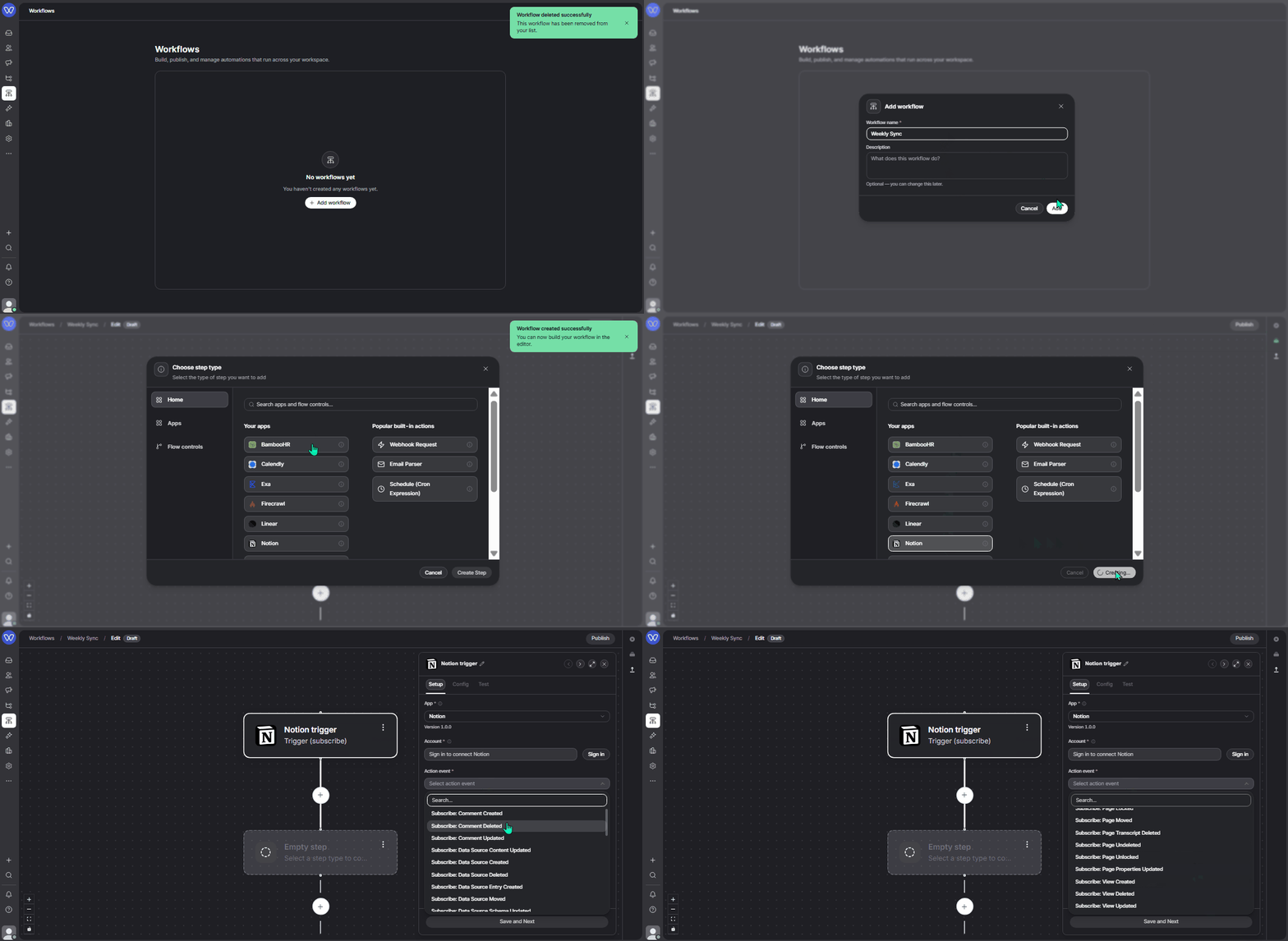
You can now read and write Notion pages, databases, and files inside Whippy workflows. The first release ships 40 actions and 32 webhook triggers, with no custom API calls or manual OAuth setup.
What's included
- Pages and content:
- Search, get, create, and update pages.
- Update database properties with Update Page, and update the page body with Update Page Markdown. They are separate steps, so you map structured fields and narrative content to the right place.
- Append or edit blocks, and move or trash pages.
- Databases and data sources:
- Query rows, create entries, and read or update schemas.
- Work with databases, views, and templates.
- Files:
- Upload and Attach File takes a file from an earlier step, such as an Email Parser attachment, and lands it on a page as a real attachment, not a broken link.
- Comments and users:
- List, create, update, and delete comments, and look up workspace users.
- Triggers (32):
- Fire a workflow on events such as page created, updated, deleted, or moved, plus content changes, new comments, and new database entries.
How it works
Connect your workspace once through OAuth, then drop a Notion step into any workflow, pick an action, and map fields from the previous step in the same builder you use for messaging and agents. You choose exactly which pages and databases the connection can access.
Why it matters
Teams keep their source of truth in Notion: runbooks, weekly updates, customer notes, project trackers. Now you can push a formatted Linear or LLM summary straight into a database row every Friday, move an email attachment onto the right page, or trigger a workflow when a page changes and notify Slack.
Setup
- In Whippy: add a step, then App → Notion → Connect, and authorize through OAuth.
- In Notion: share the pages you need with the connection (page menu → Add connections).
- For triggers: create the webhook subscription in your Notion Developer Portal, then paste the callback URL from your Whippy workflow trigger when you publish. Trigger setup is a one-time configuration on both sides, per workflow.