Added: Custom Colors for Grouped Metrics
21 Aug 2026

Elizabeth Long
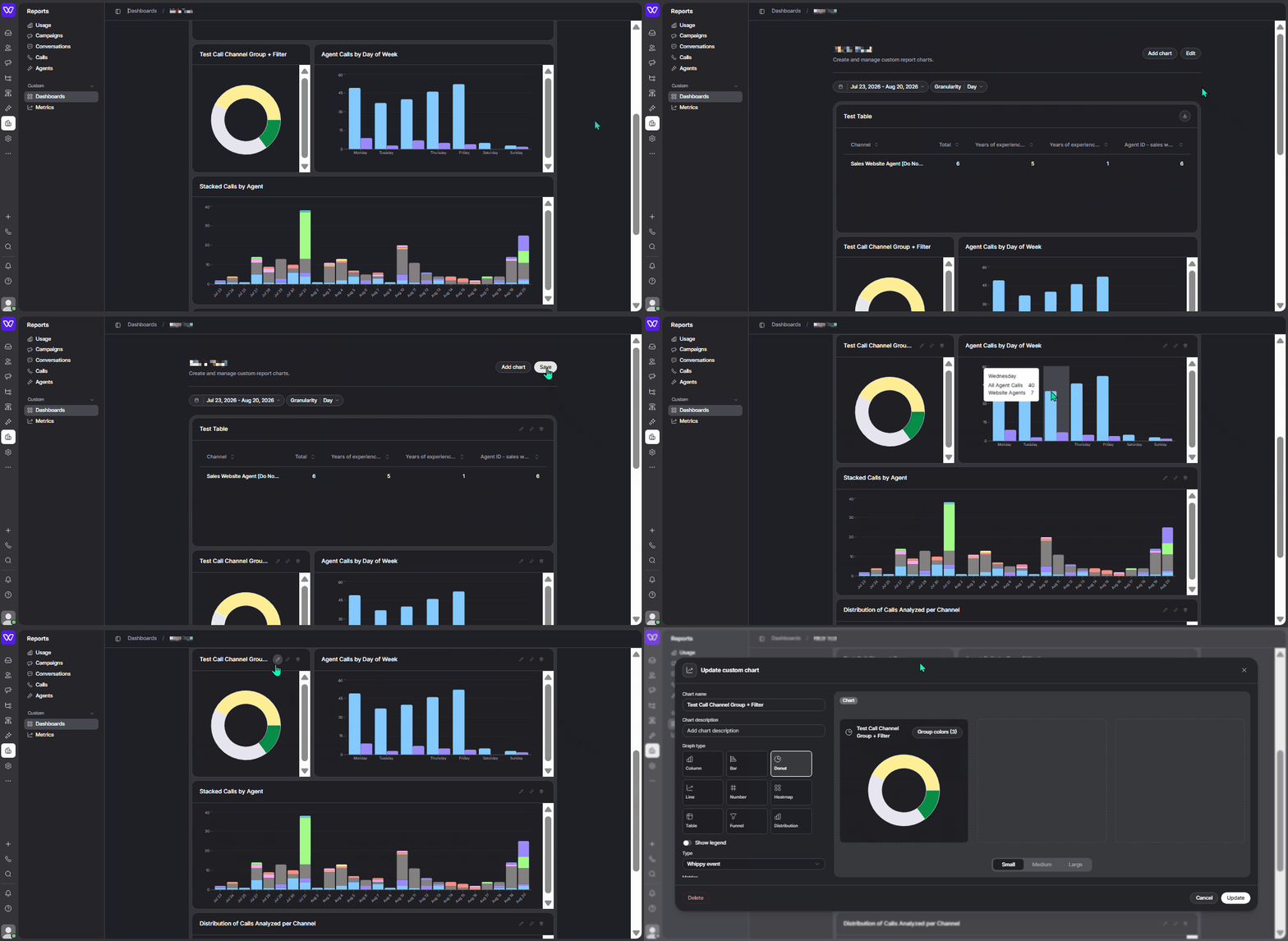
Custom metrics now support per-group color selection, so teams can keep colors consistent across dashboards and reports.
Previously, custom metrics used a fixed default palette. A group could show up as blue on one chart and green on another, making it harder to read dashboards at a glance or match reports to a brand's colors.
What's included
- Color picker per group: Each group in a metric's series can now be assigned its own color directly from the metric configuration.
- Support for donut, stacked, and distribution charts: Color selection works on donut charts, stacked bar charts, stacked column charts, and distribution charts.
- Colors saved with the metric: Once a color is set, it's stored with the metric and applied automatically everywhere that metric is used, across dashboards and reports.
- Reset to default: Any group color can be reset back to the default palette at any time, individually or all at once.
How it works
Open a metric's configuration and select Group By to enable grouping. From there, click Edit to access group colors. Each group can be set using the color palette or one of the suggested colors. Changes save at the metric level, so the same group keeps the same color on every chart where that metric appears.
Why it matters
- Consistent dashboards: The same color represents the same group everywhere, so teams don't have to relearn what each color means on every chart.
- On-brand reporting: Reports can be color-matched to a company's brand before they're shared with clients or stakeholders.
Setup
No setup is required. Custom colors are available now in the metric configuration for any grouped metric.
Notes
- Existing metrics are unaffected: Metrics keep the default palette until custom colors are set.
- Grouping is required: Color selection only applies to charts that have a Group By configured.
- Single-event charts only: Custom colors currently work on charts built from a single event. Multi-event charts are not yet supported.