Added: Apollo.io Workflows Integration

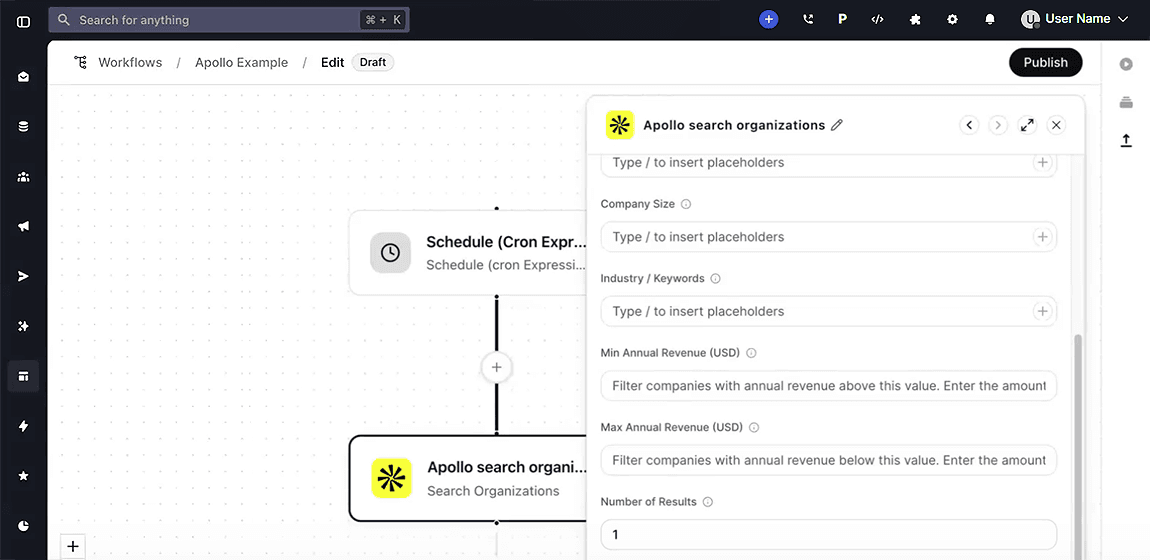
Added a native Apollo.io integration inside Whippy Workflows, so teams can search, enrich, create, and update Apollo contacts and organizations directly from any automated workflow, no manual data transfer required.
What's included
- Search for people: find prospects by job title, seniority, location, or company. People Search returns role and company data (name, title, company, LinkedIn), it does not return emails or phone numbers. To retrieve contact details, follow this step with an Enrich Person action.
- Search for organizations: look up target companies and accounts.
- Get contact details: retrieve full contact data for contacts that already exist in your Apollo account using their unique Apollo contact ID. This action only works for contacts your team has added, it does not search Apollo's full database.
- Enrich person records: fill in missing contact data using an email, name + company, LinkedIn URL, or company domain. A name alone may not return a reliable match, combine it with a company name or email when possible, or run a Search People step first to get the right person before enriching.
- Create contacts: add new leads directly into Apollo from a workflow step.
- Update contacts: refresh existing Apollo records to keep sales data accurate.
How it works
The Apollo app appears inside Whippy Workflows alongside other native integrations. Each action calls the Apollo API directly using your own Apollo API key, data flows between tools automatically as part of any workflow you configure. Automated triggers are not included in this release; actions only.
Why it matters
Teams that rely on Apollo for outbound sales and prospecting previously had to move data manually between Apollo and Whippy. This integration removes that step: lead enrichment, contact creation, and CRM updates now run automatically inside your existing workflow automation, keeping contact data current without switching tools or copying data between platforms.
Setup
- Go to Workflows and create or open a workflow.
- Add a step (+) and select Apollo from the app list.
- Click Sign in and enter your Apollo API key. You can create or find your key at Create API Keys.
- Select your action event and configure the step.
Notes
- API credit usage: Credit usage applies to Search Organizations and Enrich Person only, the other four actions (Search People, Get Contact, Create Contact, Update Contact) do not consume Apollo credits. Enrich Person may use additional credits when revealing personal emails or phone numbers. If either action fails or returns no data, check your available Apollo credits and confirm your API key is active.
- API key level: Search People, Search Organizations, and Get Contact require a master-level Apollo API key. A standard key will cause those three actions to fail.