Added: Meta Instagram Integration

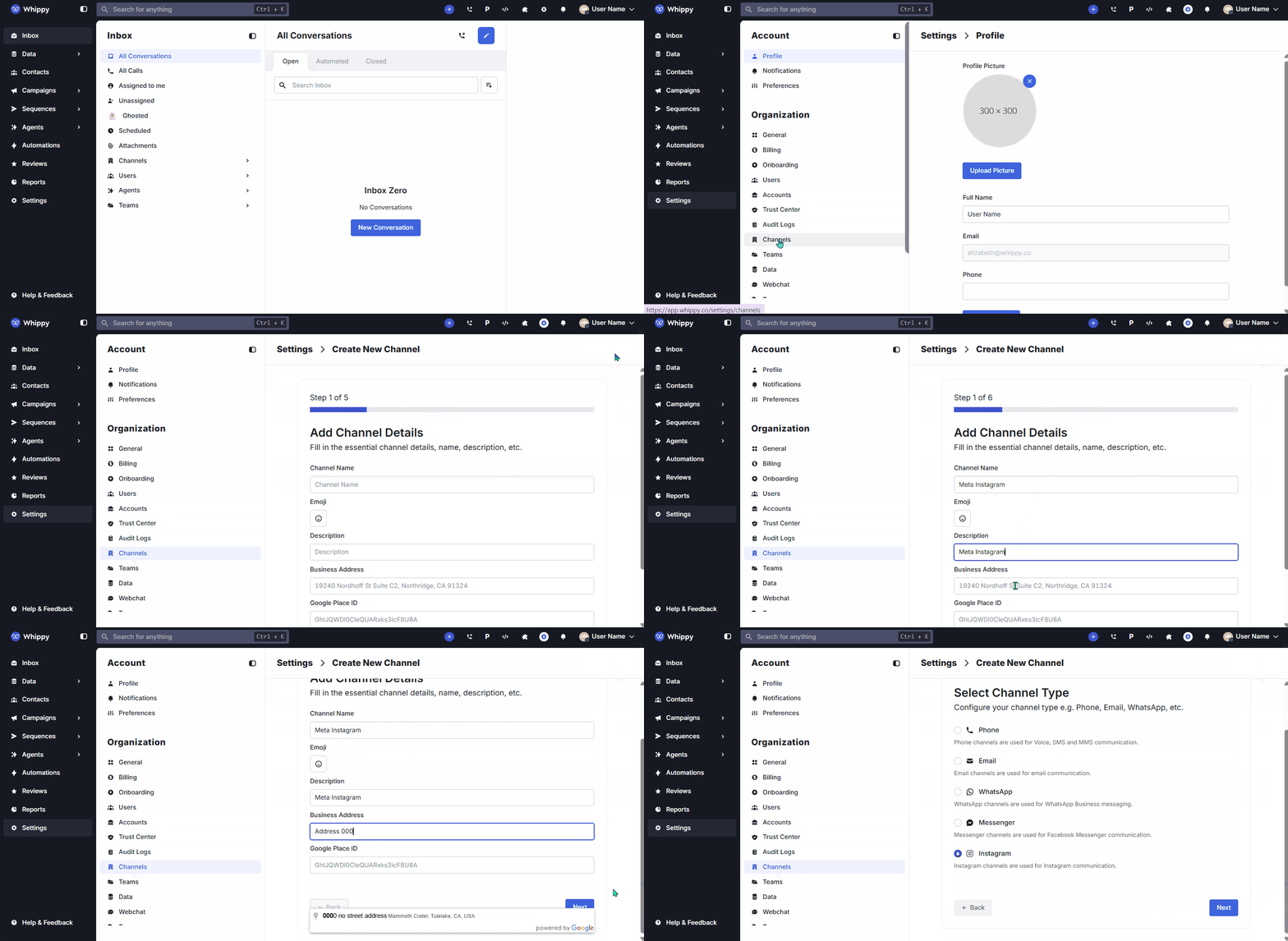
You can now send and receive Instagram Direct Messages (DMs) directly from the Whippy inbox by connecting an Instagram Business account via Meta.
Before connecting Instagram in Whippy, make sure your Instagram Business account is linked to a Facebook Page through Meta Business Suite. This is required for the account to appear during the connection process.
What’s Included
This integration supports:
• Sending text, image, video, and audio messages
• Receiving text, image, video, and audio messages
• Read receipts ("seen" status)
• Automatic contact creation from the Instagram-scoped user ID
• Contact enrichment with Instagram usernames and profile names
• Duplicate message prevention
How It Works
Connect your Instagram Business account through Meta during channel setup. Once connected, incoming Instagram Direct Messages appear in the Whippy inbox, where teams can read, reply, and manage conversations alongside other messaging channels.
Why It Matters
Teams can manage Instagram messaging alongside SMS and other communication channels in a single workspace. This reduces platform switching and helps teams respond to customers faster.
Setup
Before connecting Instagram in Whippy, ensure the account is properly configured in Meta Business Suite.
1. Open Meta Business Suite.
2. Connect your Instagram Business account to a Facebook Page.
3. Ensure the Messenger channel is enabled for that Page.
4. In Whippy, create a Channel.
5. Select Connect Meta Account.
6. Authorize your Meta Business assets.
7. Choose the Instagram Business account you want to connect.
After setup, incoming Instagram Direct Messages will appear in the Whippy inbox.
Notes
• Instagram accounts must be Business accounts linked to a Facebook Page through Meta Business Suite.
• The Messenger channel must be enabled for the connected Facebook Page.
• If your Instagram account does not appear during setup, verify that it is properly connected in Meta Business Suite.
• Messenger and Instagram share the same Meta OAuth authorization.
• Users may appear as separate contacts when messaging different Instagram accounts connected to your workspace.